Online Proctored Exams in New York: What Students Should Know Before Test Day
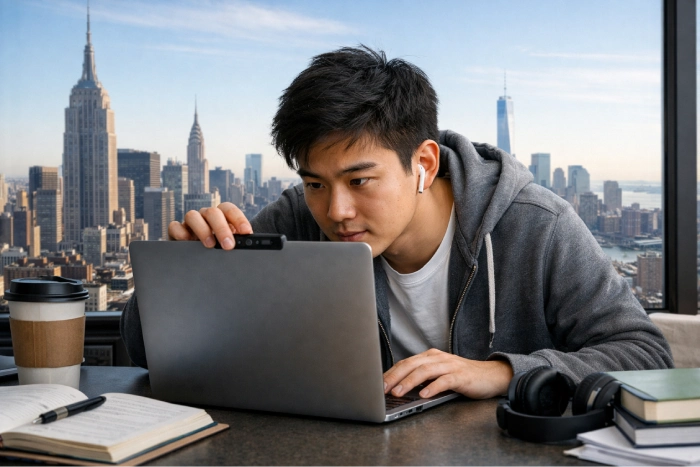
The online proctored exams New York students take might vary between courses. Some exams just lock the browser; others might involve a webcam, microphone, screen checks, or recorded exams. The best thing you can do is research the particular testing system your course utilizes prior to the test day, as rules can differ from campus to instructor to exam.
Practical considerations are as important as course options when you’re making a comparison. Our article on what New York students should know about online degree accreditation covers the basics of accreditation.
What Kind of Proctoring Does Your NY School Actually Use?
Be careful not to install anything, as there is no single proctoring setup that is applied to all New York college courses. The only distinction is that the system may just control your computer, or it may additionally use your camera, microphone, screen, or other checks.
Common setups include:
- Browser lockdown only: other sites, apps, copying, printing, or switching windows are blocked.
- Video monitoring: records or streams video, and may record audio.
- AI-flagged monitoring: indicates abnormal activity to review later.
The past of CUNY demonstrates the importance of the need to be wary of old advice. In 2021, CUNY made Respondus LockDown Browser available, and during a contract with the Board of Trustees in March 2025, CUNY added YuJa as part of its plan to offer online proctoring solutions. The CUNY online proctoring YuJa Respondus situation might be one rule, but it is not a permanent one, as the setup can vary depending on the course.
There are also various technology set-ups used on the SUNY campuses, so be sure to verify the SUNY online proctoring requirements with the campus and individual course.
The best answer is provided by your syllabus and instructor. Visit the CUNY vs SUNY for online degrees and exam notification, and then inquire early about which tool and camera settings are in effect, as well as room rules. If there is anything that isn’t clear, don’t assume; ask, or you’ll have problems when you check in!
Technical Requirements to Check Before Test Day
Review your device, browser, camera, microphone, internet, and software requirements at least one day prior to the exam. A short test run will avoid issues when time is running out for the exam.
Before the test day, verify:
- Works with a Windows, Mac, Chromebook, or tablet version
- You must have a browser or secure browser installed.
- Access to webcam and microphone.
- Required Camera or screen settings.
- Install and grant access to software.Installing and granting access to software.
- A reliable home broadband or wireless internet connection.
- Technical support contact
Don’t use public Wi-Fi unless it has been specifically authorized by the course. Excessive use of the Internet at home can also make your Internet connection slow.
Setting Up a Private Testing Space in a Shared NYC Apartment or Dorm
A suitable testing space does not have to be a private bedroom, but the space will have to comply with your course rules for noise level, interruptions, and camera visibility. For students sharing an apartment in NYC with roommates, family, or other students, design the apartment in advance of exam day.
If you’re looking for a proctored exam private space NYC apartment setup, check this out:
- Book the room for the entire exam period.
- Let neighbors know when you can’t be disturbed.
- Use a plain wall if a full room view is not needed.
- To use a simple room divider if necessary.
- Locate an alternative test room or quiet study area on campus.
- Close windows if traffic noise, sirens, or subway noise may be an issue.
If family members are too busy at home, you can use a campus library room or an empty classroom, but you need to be sure your rules permit it. Also, certain areas will have a maximum number of takers or may be closed at a certain time, so do check it out early. If a room scan is needed, do not be last minute.
Identity Verification and What to Have Ready
Have your photo ID ready and allow extra time for identity checks before the exam starts. The name should match your student or exam account unless your institution gives different instructions.
Keep these nearby:
- School-issued or government-issued photo ID
- Student login details
- Exam instructions
- Technical support information
The online exam webcam requirements college students receive may include camera position, microphone checks, or room-view instructions. Read them before check-in.
Privacy Concerns and What to Actually Confirm
If you’re concerned about privacy, find out what information software logs, who has access to it, and how long information about exams is retained. Don’t confuse a browser lockdown tool with a camera system, so it is important to know the exact configuration. Then you will be able to determine the questions to ask before agreeing to the exam setup.
There has been a true student privacy debate at CUNY over remote proctoring. In 2020, students expressed their concerns about camera-based tools, and CUNY provided guidance on privacy, access, and alternatives.
For proctoring privacy concerns CUNY students may have, check:
- The specific tool that you are referring to in your course.
- Whether video, audio, or screen activity is recorded or not
- Only the teacher may listen to recordings.
- The School’s data retention information.
- The process for getting disability or accessibility accommodations.
For campus assistance for an accommodation, refer to how to find academic support services at New York colleges. Do this prior to the day of the exam.
What to Do If Something Goes Wrong Mid-Exam
If your proctored exam freezes or the software crashes, remain calm, note the issue, and do not change anything. Unless instructed to by the platform or support staff, do not close the session or restart anything.
Use this order:
- If possible, take a screenshot of the error.
- Record the exact time.
- Contact platform support.
- Report to your teacher right away.
- Do not discard any ticket number or support message.
You may have to follow different recovery protocols for online proctored exams New York students are taking, so be explicit as to what you intend to do with your learner’s record.
Test-Day Checklist
Before you start, confirm:
- Accurate level of proctoring and monitoring
- Maintaining telecommunication with camera and microphone, and internet.
- A quiet area to test equipment and a backup area.
- All staff members are required to have a photo ID and login.
- Support contact and instructor contact method
This is a check that can come in handy during a commute or when working a shift or sharing a small space. Online proctored exams New York students are often juggling work, school, and other responsibilities in the real world, so eliminate unnecessary hassles early in the process.
FAQ
Does CUNY use webcam proctoring for all online exams?
Over time, CUNY has utilized various online assessment technologies, and the degree of monitoring may vary by course and instructor. Earlier this year, the CUNY 2025 YuJa contract revolutionized the way exams are administered, but it didn’t mean that all online exams needed to be recorded with a webcam.
What if I don’t have a private room to test in my NYC apartment?
You may have other options, depending on your screenshot rules. Check with your campus if a quiet testing room, lab, library room, or other approved room will be available during testing periods. In the event that a room scan is necessary, check with your instructor prior to test day.
Can I use a Chromebook or tablet for a proctored exam?
Maybe, but don’t presume. There are various devices and operating systems that work with different proctoring tools. Make sure to read the exam directions and do any system test before the exam time.
What should I do if my proctored exam software crashes mid-test?
Don’t immediately close off the exam or turn off your computer. If possible, take a screenshot of the error, write down the time, contact the technical support for the platform, and tell your instructor. Do not delete any support ticket or email, as this will provide a clear record in case the interruption results in your submission.
Can I request an alternative to a proctored exam?
You may request an alternative in cases where there is a documented disability accommodation or another approved access need that conflicts with the proctoring requirement. Please check with your instructor or campus accessibility office before the exam.
A Calmer Way to Approach Test Day
The most beneficial way for online proctored exams New York students is to understand the course rules, familiarize yourself with testing equipment early, and make sure you have a backup space. It is not required that you have a perfect apartment or an expensive setup, as long as it is set up according to the rules of the exam.
If you’re looking to get some more practical advice, check out our guide to academic success in New York universities, read our more New York exam preparation guides, or contact us if you have any questions regarding exam preparation for an upcoming exam.